
Email backup for Mac · Coming soon
Your email, kept on storage you own.
Arca Mail Backup copies your IMAP, Gmail and Outlook accounts to your own disk or cloud bucket, as plain mbox files you can open without us.
- Coming soon to the Mac App Store
- Coming soon to the Microsoft Store
Free for one account · macOS 14 or later · Windows coming soon
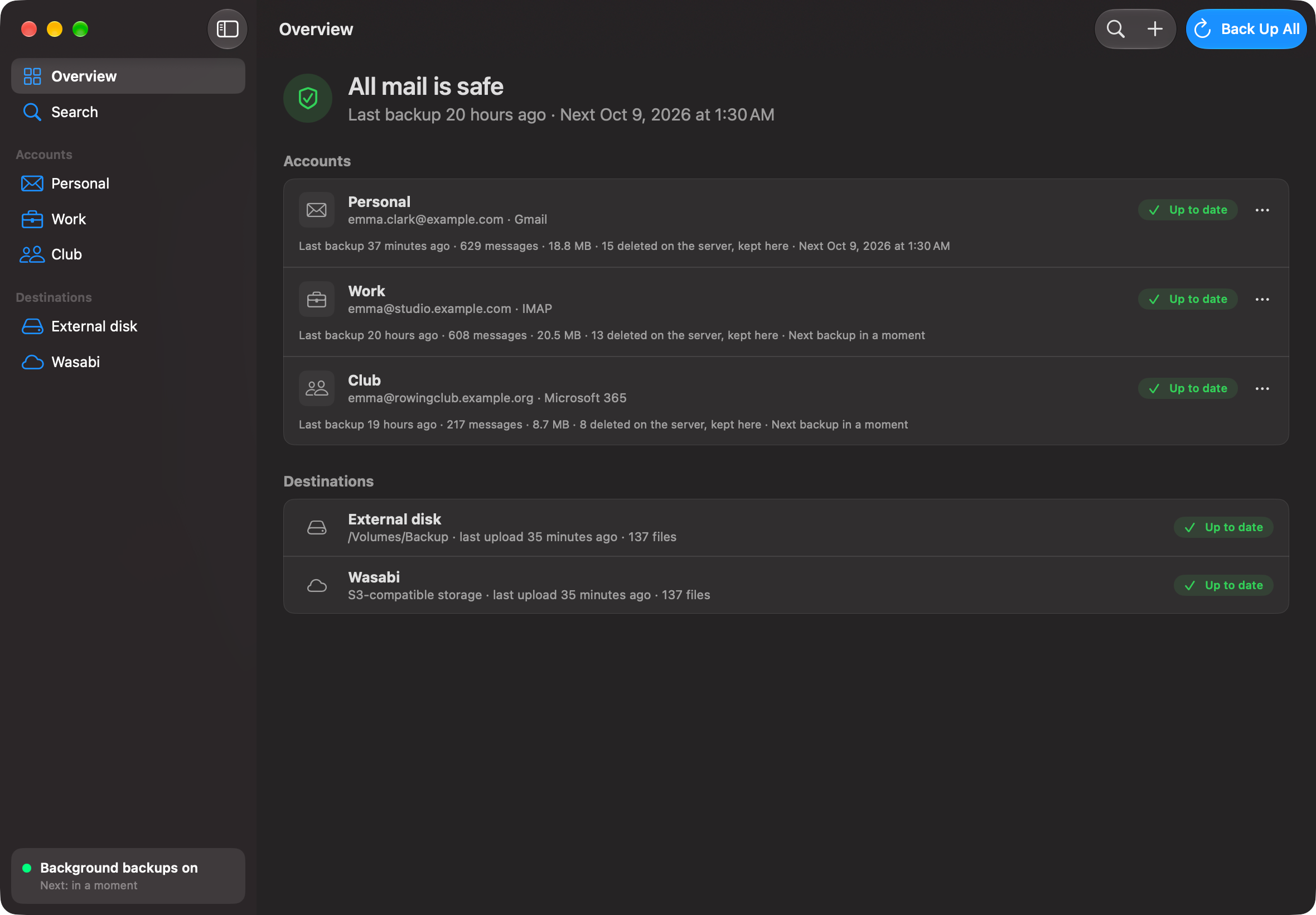
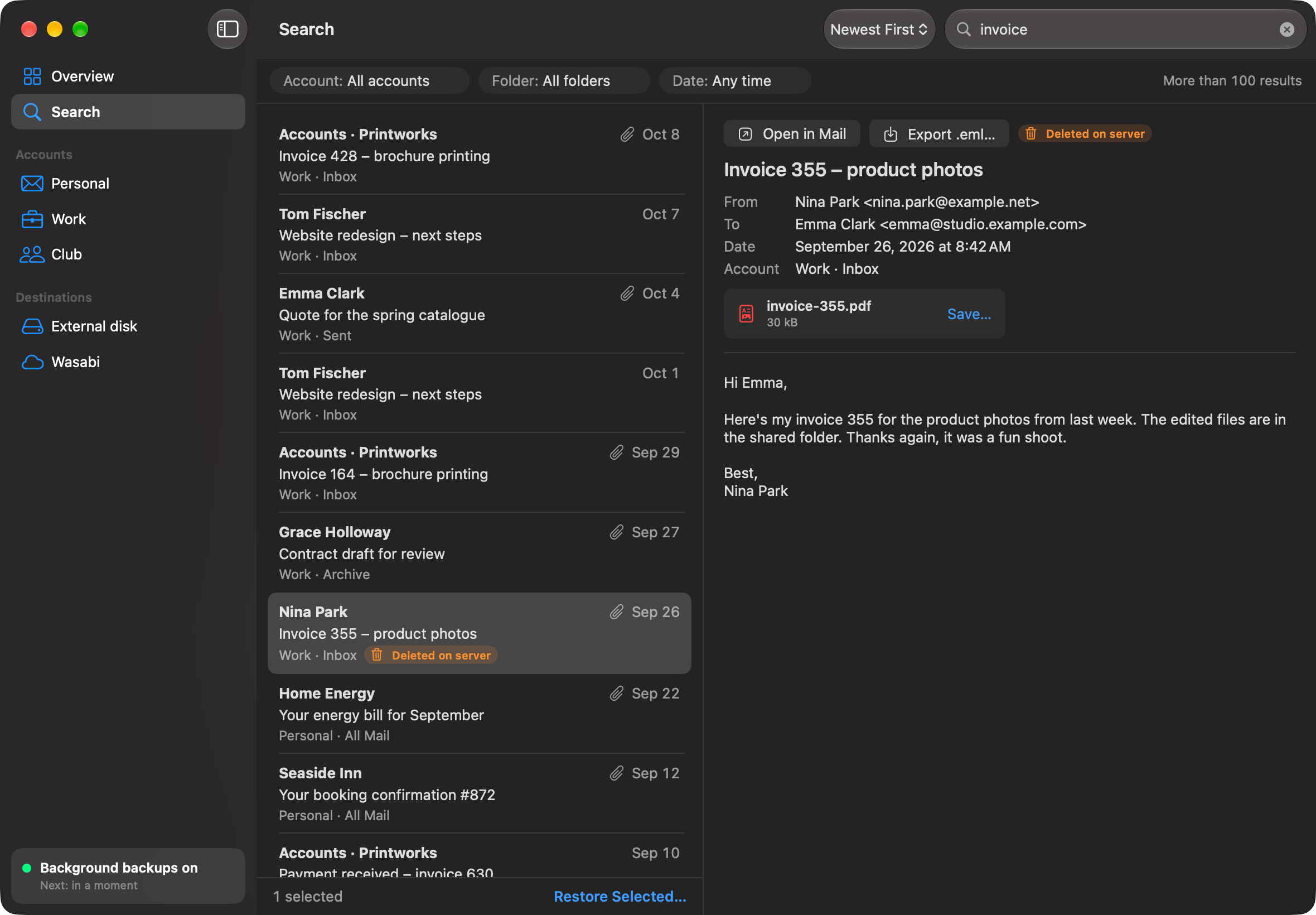
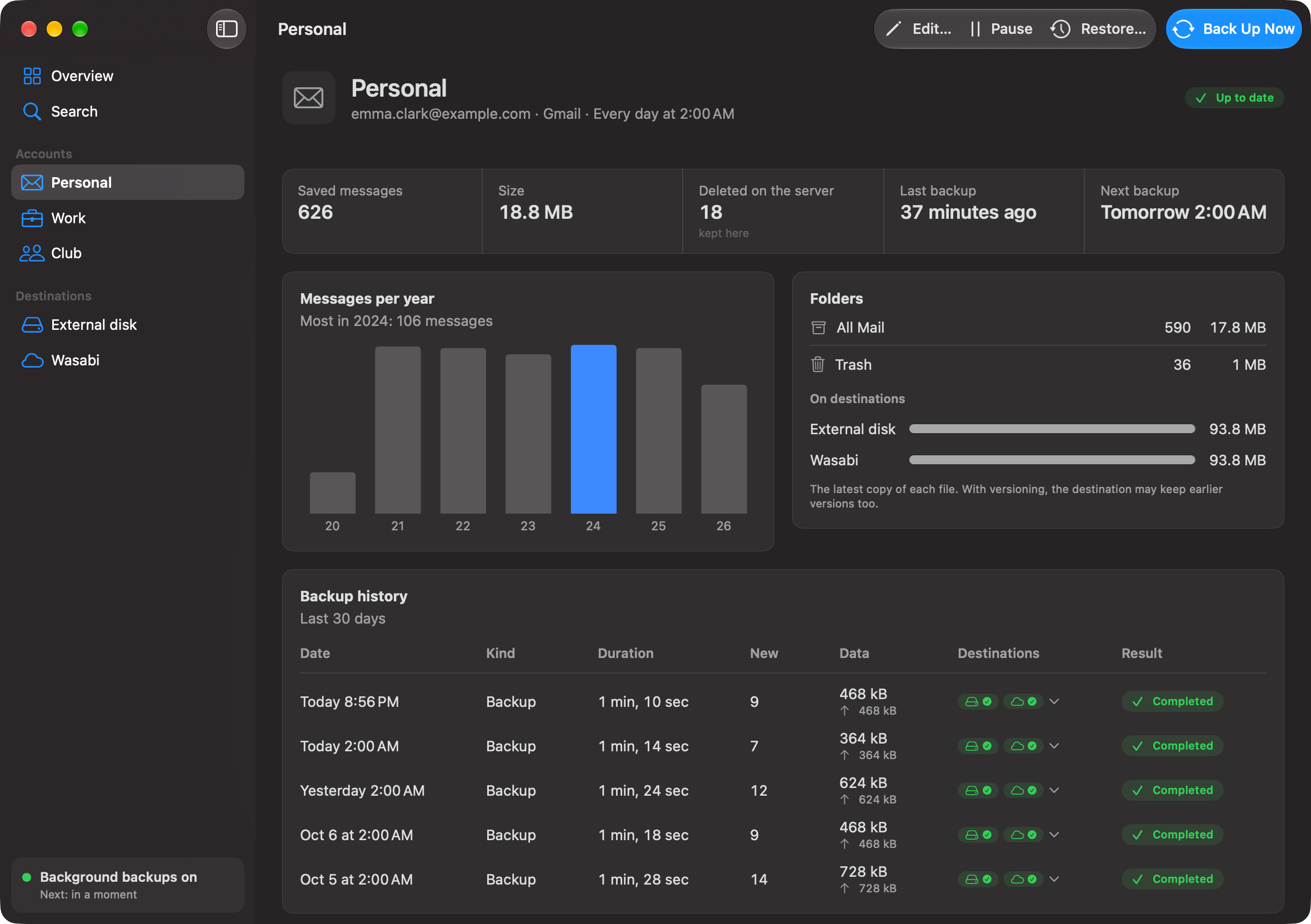
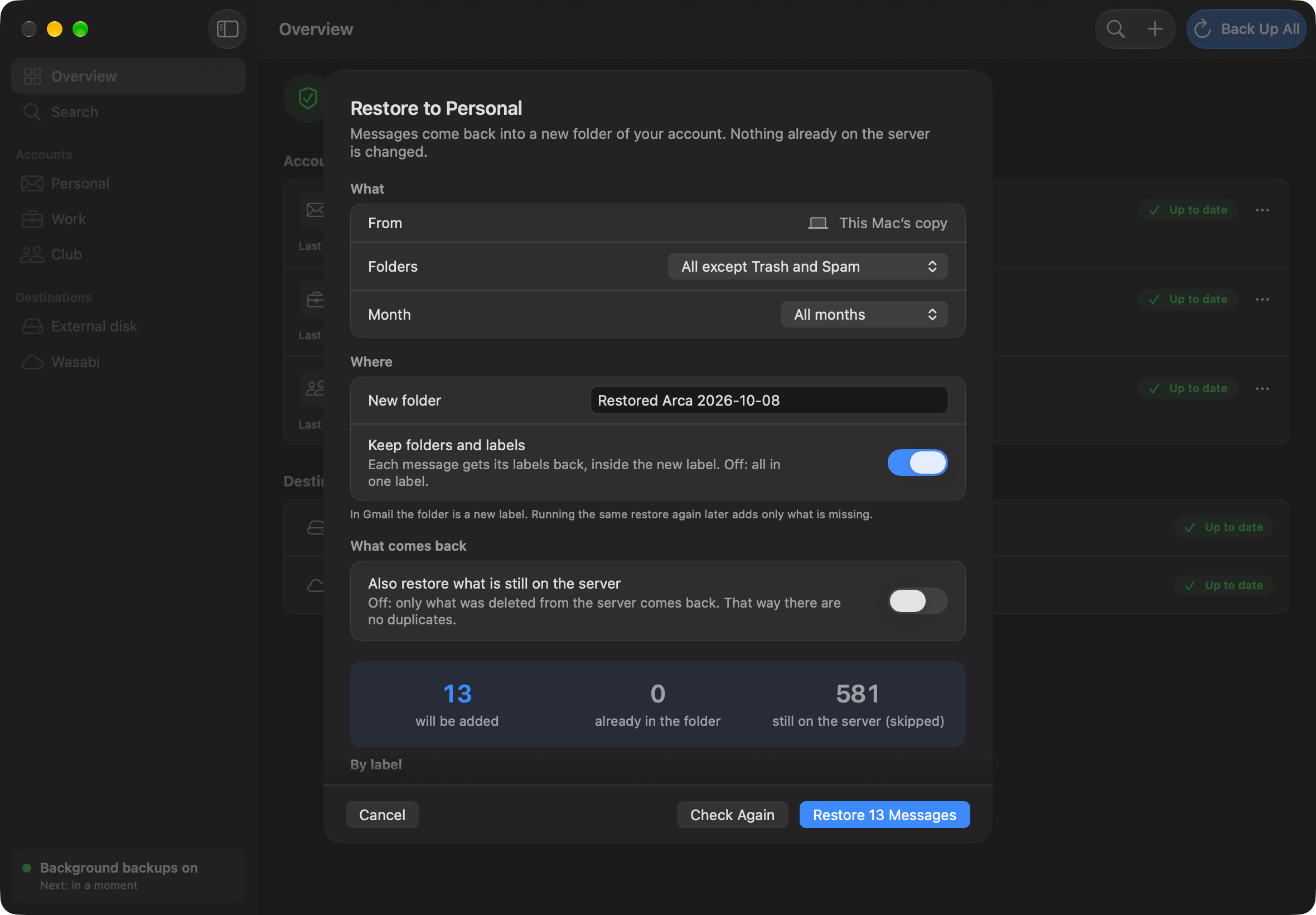
Real app screens with demo data: the accounts, messages and amounts are made up.
Why Arca
Three promises it is built on
Your storage, not ours
Arca writes to a disk, NAS or S3-compatible bucket you choose, with your own credentials. We never host a byte of your mail.
An open format
Mail is saved as standard mbox, one file per folder and month, with a JSON manifest. Thunderbird, Apple Mail or MBox Viewer Pro can open it.
Private by design
There is no server of ours in between. Everything runs on your Mac, and passwords stay in the macOS Keychain.
Open by default
A backup you can read without us.
Every message is stored byte for byte, exactly as it arrived. Closed months never change, so they work with versioning and Object Lock on your bucket. Each destination has a README that explains how to open everything without Arca.
Opens with
- Thunderbird
- Apple Mail
- MBox Viewer Pro
arca/my-mac/
├── README.txt
├── manifest.json
├── index.sqlite.zst
└── accounts/
    └── ana-gmail-com/
        └── folders/
            ├── all-mail/2026/
            │   ├── 2026-09.mbox
            │   └── 2026-10.mbox
            └── trash/2026/
                └── 2026-10.mbox
How it works
Save. Search. Restore.
Arca backs up on its own in the background and, if it is interrupted, picks up where it left off. When you need something back, you find it and put it back.
01
Find any message, even ones deleted from the server
Search by subject, sender, recipient or text across every account. Mail deleted on the server stays in your backup, marked as deleted. Previews block remote content.
02
Put mail back where it belongs
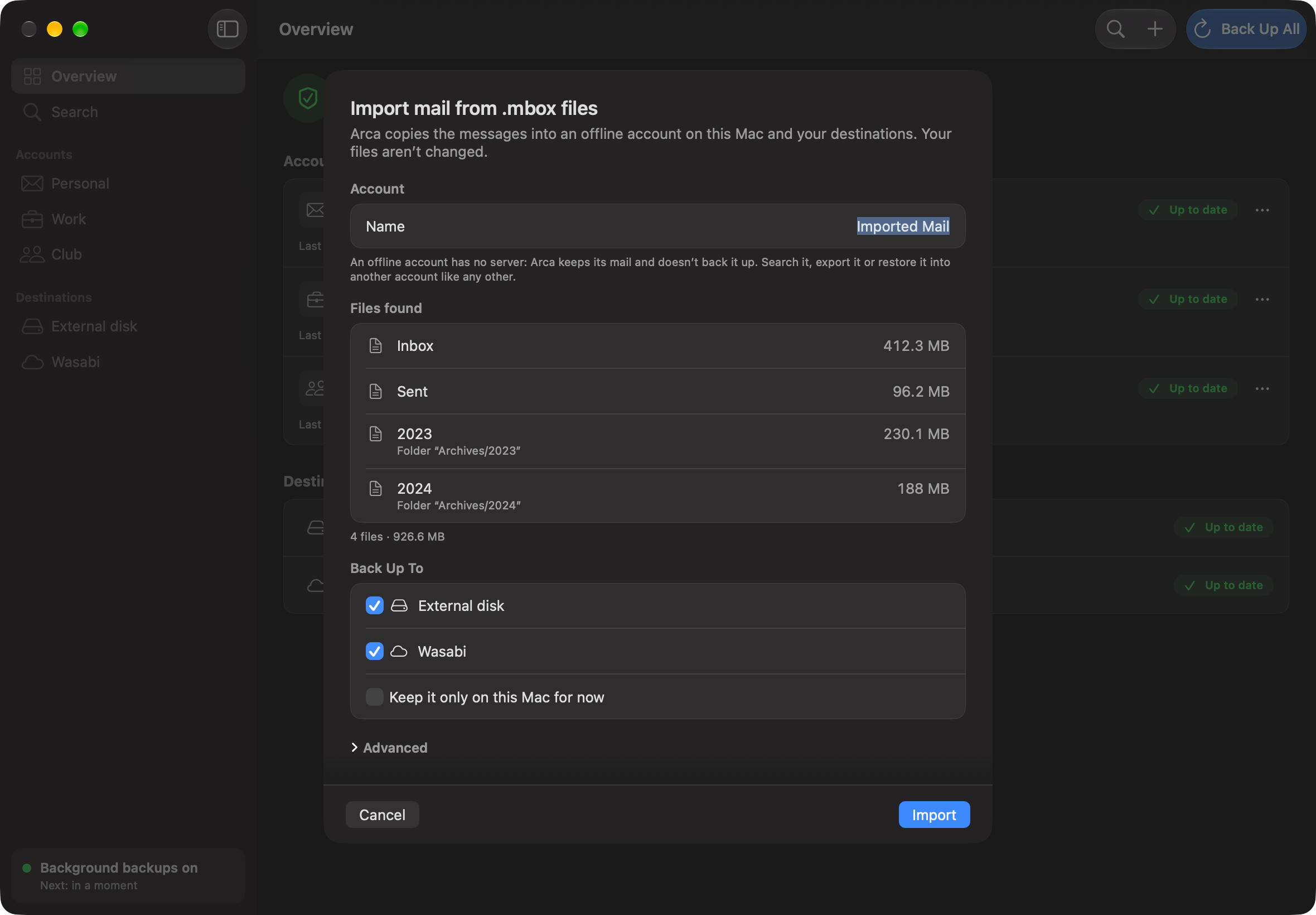
Restore into the same account: messages go to a new folder and nothing on the server is changed. By default only what was deleted comes back, so you get no duplicates. An imported .mbox can be restored into your account too. Migrating between accounts is coming soon to Pro.
Sources and destinations
Works with the mail you already have
Status in the version we're preparing for launch.
Back up from
Any IMAP account
Your hosting, your ISP, cPanel, Dovecot…
In the appGmail and Google Workspace
With an app password
In the appOutlook.com and Microsoft 365
Sign in with Microsoft (IMAP with OAuth)
In the appYour .mbox files
Google Takeout, Apple Mail, Thunderbird
FreeIn the appMicrosoft Graph
For organisations that block IMAP
ProComing soonGmail API
With your own Google Cloud project
ProUnder study
Save to
A disk of your Mac
Internal or external (USB, Thunderbolt)
FreeIn the appA NAS
A network share mounted on your Mac
ProIn the appS3-compatible storage
Wasabi, Backblaze B2, Cloudflare R2, Hetzner, AWS…
ProIn the appGoogle Drive, OneDrive, Dropbox
Straight to your cloud drive
ProComing soonSFTP and FTP
Your own server
ProUnder study
Platforms
- Coming soon
Mac
macOS 14 or later, from the Mac App Store
- Coming soon
Windows
Same engine and backup format, from the Microsoft Store
Optional encryption · Pro
Coming soonEncrypt before it leaves your Mac
Encryption is built into Arca's engine and is coming to the app: you'll turn it on when you add a destination. Files are encrypted with age, an open standard, to two keys: one kept in your Mac's Keychain and a recovery key that only you hold. Either key opens your backup, with Arca or with the age command-line tool.
$ age -d -i recovery.txt \
    -o 2026-09.mbox 2026-09.mbox.age
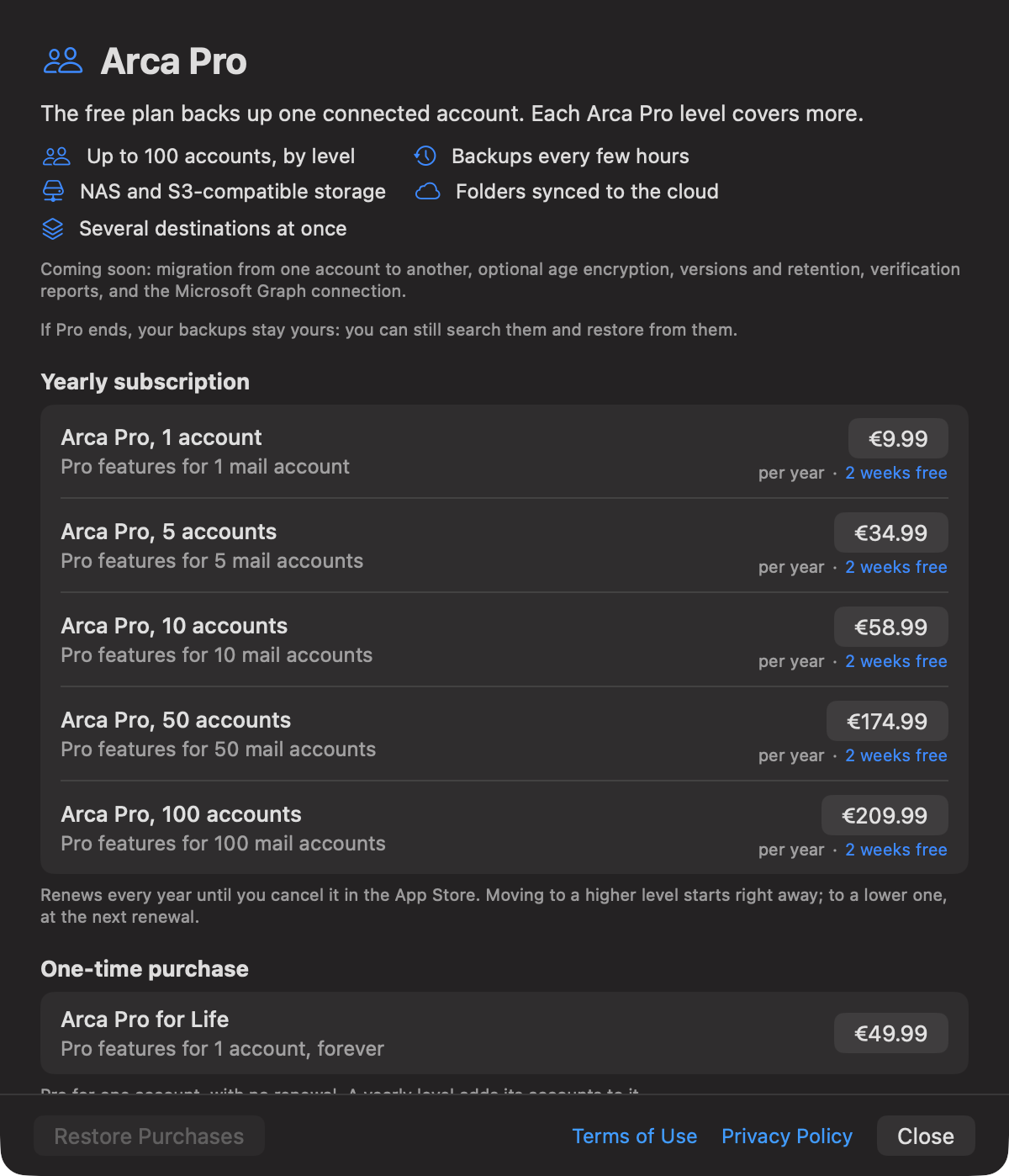
Free for one account. Pro when you need more.
Planned launch prices in US dollars; they vary by country with taxes and App Store pricing
Free
$0
One account via IMAP, backed up in full to a disk of your Mac. Includes .mbox import.
Pro · Yearly
from $8.99/yr
NAS and S3 destinations, several at once and more frequent backups; migration between accounts coming soon. 1 to 100 accounts.
Pro · Lifetime
$44.99 once
Everything in Pro for one account. No renewal.
Backups you have already made are never locked, even if you stop paying.
Coming soon
Start with one account, free.
Arca Mail Backup is nearly ready. It's coming to the Mac App Store first (macOS 14 or later) and to the Microsoft Store after that. Leave your email and we'll write once, on launch day.
- Coming soon to the Mac App Store
- Coming soon to the Microsoft Store